Feature 04 of 07
The real thing, beside the model.
A 3D model shows the shape. A slide or a scan shows what you will actually see. Get3DMed puts real, licensed microscope slides and CT scans next to the matching view, so you learn both at once.
- Slides
- 94 real microscope slides
- Scans
- 8 CT cross-sections
- Licences
- Public domain or open, always credited
- Where
- Marked in each model's side panel
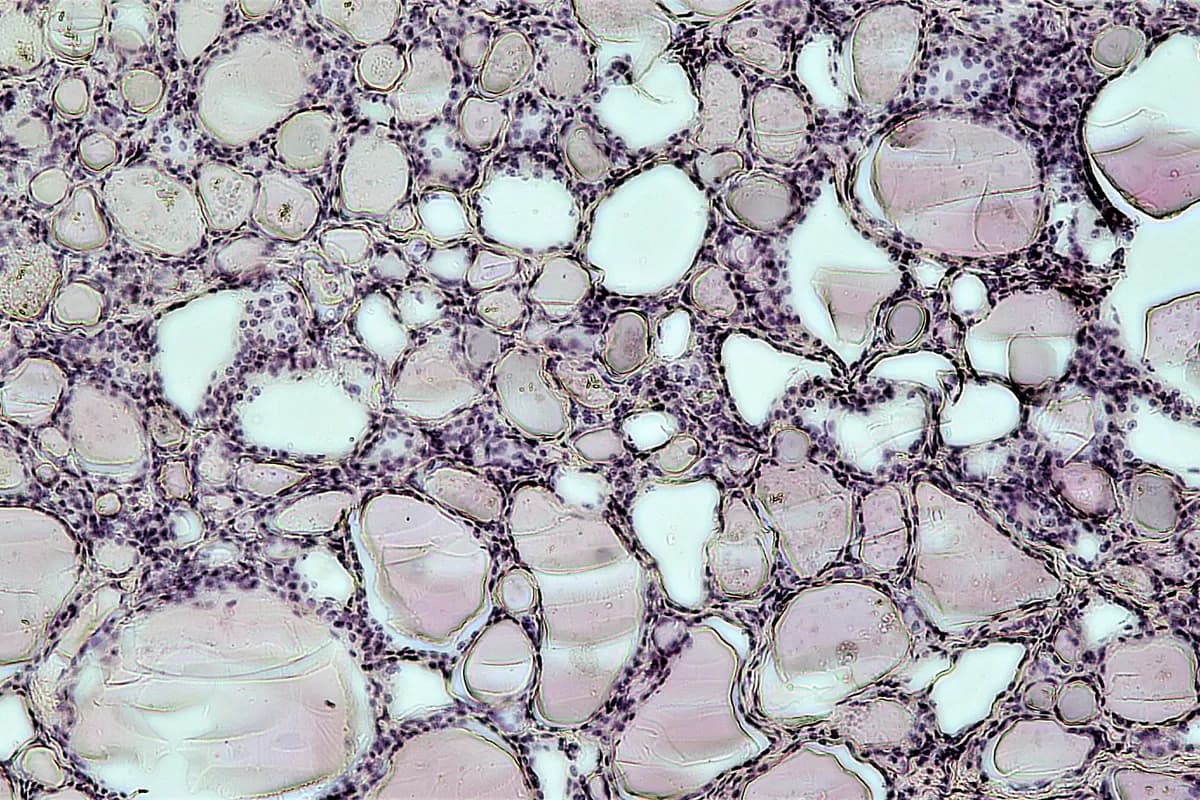
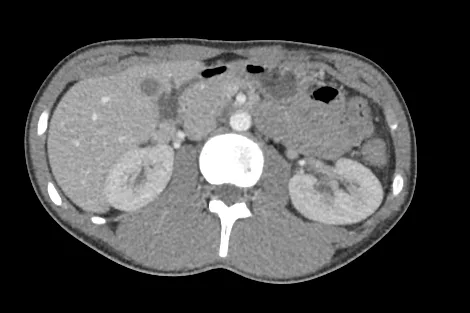
A thyroid slide and a CT scan of the abdomen at L1, as they appear beside their models, each with its caption and credit.
The problem
Images and models live apart.
- 01
Slides without context.
A histology slide is a flat, stained slice. Without the structure around it, it is hard to tell what you are looking at, or which way up it is.
- 02
Scans without a map.
A CT slice is a grey puzzle until you can picture the anatomy it cuts through.
- 03
Two places to look.
The atlas is in one tab and the image bank in another, so you never see them side by side.
How it works
Open a view, see the real thing.
Find a view with one.
Views with a slide or scan are marked in the side panel with a microscope or scan icon.
Compare it with the model.
The slide or scan sits beside the 3D view of the same tissue, or the same level of the body.
Read what it shows.
Each has a caption saying what to look for, how it was made and who made it.
Enlarge it.
Open it full size to see the detail.
Why it helps
Learn the image you will be shown.
- A
94 real slides.
Tissues, organs, microbes, plants and disease, from normal epithelium to a heart attack.
- B
8 matching CT scans.
Cross-sections of the head, chest, abdomen and male pelvis, beside the same level in 3D.
- C
Licensed and credited.
Every image is public domain or openly licensed, and its author and licence are shown with it.
- D
In the lessons too.
Pathophysiology lessons show slides of disease beside their 3D scenes.
Questions
Questions, answered.
Still deciding? It is free to start, in your browser.
Where do the slides and scans come from?
From openly licensed collections, such as Wikimedia Commons, and published papers, chosen one by one. Each shows its author and licence, and nothing is changed except cropping and resizing.
Which views have a scan?
Cross-sections of the head through the orbits, the chest at T4 and T8, the abdomen at L1 and L3, and the male pelvis at the bladder and prostate. Scans for the neck, the female pelvis and the limbs are planned.
Does every model have slides?
No. Slides are on the tissue, organ, pathology, microbe and plant models where a good licensed image exists. Views with one are marked in the side panel.
Can I enlarge them?
Yes. Open any slide or scan full size from the panel beside the model.
Everything in Get3DMed